
TapeACall: Call Recorder
Mosaic SrlBusiness
3.61.18K Reviews
- Version
- 5.0.7
- Installs
- 1.00M
- Age Rating
- Everyone
Screenshots
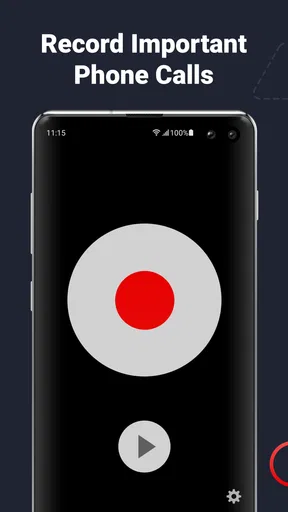
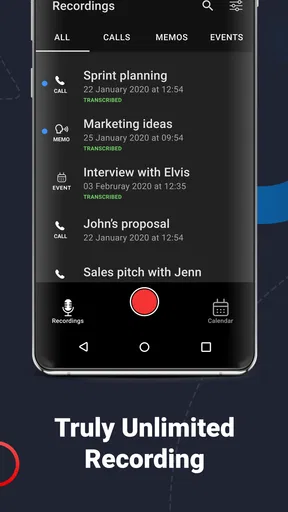
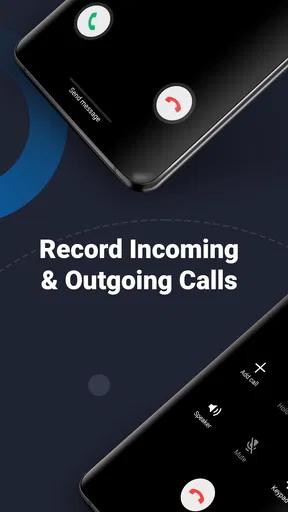
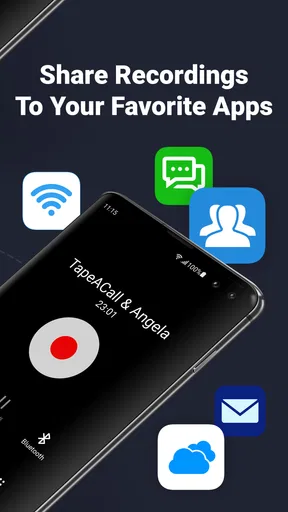
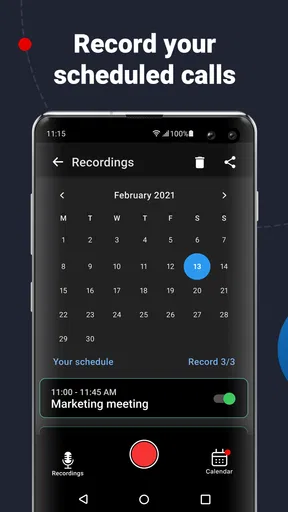
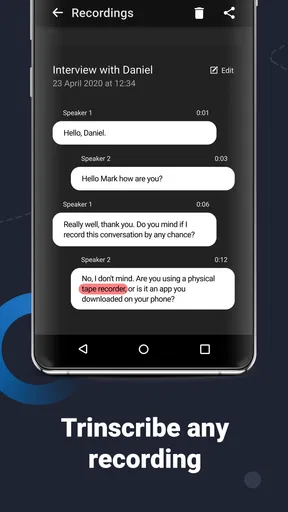
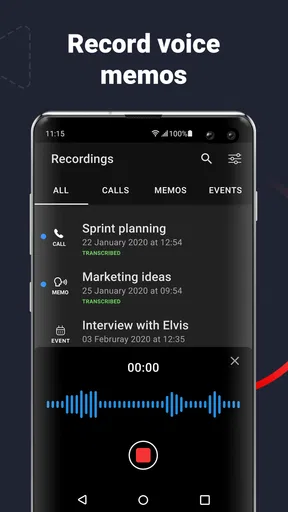
Our Review of TapeACall: Call Recorder
 Analysis by Appyee
My first piece of advice about TapeACall: Call Recorder is to treat recording as a small routine, not a button you can worry about after a call has ended. This is a business app from Mosaic Srl, and its purpose is focused: keep a record of incoming or outgoing phone conversations and make those recordings easy to share. That can be useful when a call contains names, instructions, or decisions I would otherwise have to reconstruct from memory. It is less compelling if I only want an occasional recording and do not want to learn a particular calling workflow.
Build a reliable routine before an important call
The safest way to use a call recorder is to understand its steps before the conversation matters. With TapeACall, recording uses a three-way call: the recording line joins the phone call, and the calls are merged. I would try that flow with a low-stakes call first, so the merge step feels familiar rather than distracting during a customer conversation or interview. A few seconds of preparation can prevent the awkward moment of trying to figure out the controls while someone is waiting.
For a scheduled call, I would decide in advance what needs to be preserved: the whole conversation, a particular set of instructions, or an agreement that I want to review later. Then I would open the app and follow its call-joining process deliberately. This is not the same as casually tapping a standard in-call recording button; the three-way-call method is a real workflow choice, and it makes TapeACall a better fit for people willing to use that process consistently.
Make recordings useful after the call
A recording is only valuable if I can find and understand it later. Right after a call, I would listen to the key section while the context is fresh and write down any follow-up tasks separately. That gives me a concise working note without relying on replaying a long conversation whenever I need one detail. If I expect to share the audio, I would also check that I have selected the intended recording before sending it; a call file can contain more personal context than the snippet I want another person to hear.
Cloud access can help when I need to revisit a recording away from the phone, while sharing options make it practical to pass audio along for a legitimate work purpose. Still, I would not treat a cloud recording as an automatic filing system. A simple naming habit outside the audio itself—such as keeping a dated call note in my own records—makes later retrieval easier, especially when several conversations concern the same project.
Check the details that affect your workflow
Before relying on the app, I would check how the current version behaves on my device and whether the call-merging steps suit my usual way of making calls. The current version is 5.0.7, and the stated minimum operating-system requirement is 7.0. Those details are worth checking against the device in hand, rather than assuming that every phone handles a call-recording workflow in the same way. The app is free to install, with in-app purchases ranging from $3.99 to $99.99 per item, so I would review the purchase screen carefully before choosing anything paid.
I would also consider the rules and expectations around recording before starting. Requirements can vary by location and by the people involved, so asking for consent where appropriate is the sensible habit. For work calls, I would follow any relevant workplace process and avoid recording sensitive conversations just because the app makes it possible. The practical value of a recording depends on having a legitimate reason to keep it and a careful plan for who can hear it afterward.
Where it fits among call-recording options
Compared with a recorder built directly into a phone’s calling interface, TapeACall’s three-way-call approach asks for more deliberate steps. That can feel like extra friction, particularly if I make calls rapidly throughout the day. On the other hand, a dedicated app gives the recording task a clear home and offers a route for sharing saved audio. The right choice depends less on a broad claim that one method is best and more on whether the available recording method on a particular phone fits the calls I actually make.
Manual notes are still a better alternative when I only need a few names, dates, or action items. They are quicker to organize and avoid keeping a full conversation. A voice memo made after a call can also capture my own summary without preserving the other person’s voice. I would choose TapeACall when the exact wording or sequence matters, and choose notes when a short written record is enough. That distinction helps keep the app useful rather than turning every routine call into a recording.
A realistic workday example
Imagine I am arranging a repair by phone and the conversation includes an appointment window, a description of the problem, and a change to the original plan. Instead of trying to write everything while talking, I can use the app’s recording workflow, then review the relevant parts afterward and put the confirmed details into my calendar or service notes. If a detail is unclear, the audio gives me a way to check what was actually said rather than relying on a hazy recollection. I would still verify important arrangements directly when a mistake could cause a real problem.
This kind of use shows both the benefit and the limit: the recording preserves context, but it does not turn spoken information into an organized task list. I still need to listen, identify what matters, and act on it. For a person who already has a habit of turning calls into follow-up notes, that extra step is manageable. Someone expecting the app to summarize conversations or automatically manage commitments may find that a recorder alone does not solve their problem.
Getting Started with TapeACall
First things first, downloading TapeACall is a breeze. Whether you’re on Android or iOS, it’s a straightforward process. Once you’ve got it installed, the user interface greets you with a clean and intuitive design. For someone like me who’s not exactly tech-savvy, I appreciated how easy it was to navigate through the app’s features.
How Does It Work?
The app captures your calls by creating a three-way call where the third "caller" is the TapeACall recording line. You simply merge calls, and voilà, the conversation is recorded. It might sound a bit complex at first, but the app guides you through the process smoothly. Before you know it, you’re recording calls like a pro.
One feature I found particularly useful is that you can record both incoming and outgoing calls. This versatility is a game-changer, especially if you often find yourself needing to save important conversations on the go.
Quality and Storage
When it comes to sound quality, TapeACall doesn't disappoint. The recordings are clear and easy to understand, which is crucial if you're planning to revisit detailed information from your calls. The app stores the recordings in the cloud, which means you’re not limited by your phone’s storage capacity. You can access your recordings anytime, anywhere, which is super convenient for someone who’s always on the move.
Security and Privacy
In today’s world, security is key. TapeACall ensures your recordings are secure and only accessible to you. It requires your permission to access your phone calls and clearly outlines its privacy policy, which is a relief for anyone cautious about their digital footprint. You can also easily share your recordings via email, text, or any cloud service, making it a versatile tool for both personal and professional use.
Subscription and Accessibility
Now, let’s talk about the subscription model. TapeACall offers a free trial, which is a perfect way to test the waters. If you decide to subscribe, you’ll find the pricing to be competitive. The premium version unlocks unlimited recording time and removes any restrictions, which is worth considering if you frequently rely on call recordings.
Accessibility-wise, the app supports multiple languages, making it user-friendly for non-English speakers. This feature broadens its appeal significantly in our globalized world.
Practical Uses
So, why might you need TapeACall? Well, imagine you’re a journalist conducting phone interviews, a student recording lectures, or even a business professional needing to document meetings. The app provides a reliable way to ensure you never miss a detail. Personally, I’ve found it invaluable for capturing those long customer service calls where remembering every detail is crucial.
Additionally, TapeACall stands out for its simplicity and reliability. It's not overloaded with unnecessary features, which keeps it straightforward and focused on what it does best – recording calls.
Final Thoughts
In conclusion, TapeACall: Call Recorder offers a seamless and effective solution for anyone in need of recording phone conversations. The app’s ease of use, combined with its robust recording quality and secure cloud storage, makes it a standout choice. So, if you’re tired of scrambling for a pen and paper during calls or simply want to ensure you have a record of important conversations, give TapeACall a try. You might find it becomes an essential part of your digital toolkit.
It is worth keeping expectations grounded. TapeACall has an average rating of 3.6 from around six thousand ratings, alongside roughly 1.2 thousand written reviews, and has passed one million installs. Those figures suggest that plenty of people have tried it, but they do not tell me whether the three-way-call process will suit a particular carrier, device, or calling habit. I would use the free installation as a chance to check the workflow before depending on it for an important record, rather than treating popularity as a guarantee of a friction-free experience.
Who gets the most from it—and who does not
I see the strongest case for people who regularly need the exact wording of phone conversations: freelancers confirming a brief, small-business owners speaking with suppliers, reporters conducting interviews, or anyone handling complicated service calls. It is particularly useful when a written recap alone might miss nuance or when I need to revisit how a decision was reached. The Everyone content rating makes the app broadly accessible, but that does not mean recording every conversation is appropriate; purpose and consent still matter.
I would skip it if my phone conversations are mostly casual, if I only need occasional reminders, or if I am unwilling to merge calls as part of recording. A notebook, calendar entry, or short voice memo after the conversation can be a cleaner choice in those situations. I would also hesitate to make it part of a time-critical routine until I had tested the call flow on the phone and service I plan to use. Recording is useful only when starting it is dependable enough for the moment.
Small habits that prevent avoidable problems
Experienced use is less about discovering a secret feature and more about making a repeatable sequence. I would check that I can complete the merge step, confirm that the recording appears where I expect, and play a short section back before using the app for a high-stakes call. Afterward, I would give the file a clear place in my own recordkeeping system and note the date and reason for keeping it. That routine reduces the chance of collecting audio I cannot identify later.
Sharing also deserves a deliberate pause. Before sending a recording, I would listen to the portion that matters and consider whether the recipient needs the full conversation or only a written summary. Audio may include names, personal details, or unrelated discussion, so forwarding an entire file can expose more than intended. If the goal is simply to confirm an appointment or a price, a concise note may be more useful and less revealing than the recording itself.
Platform expectations and purchase decisions
TapeACall is available as an app for Android and iOS, but I would not assume that the experience is identical across both platforms or every device. The stated minimum OS is 7.0; in practice, I would check the current app and system requirements shown for my own device before installing. The developer, Mosaic Srl, maintains the app, and version 5.0.7 is the current release. For a business tool, I would also consider whether my organization permits cloud-stored recordings and whether its own record-retention rules apply.
The app is free to download, while in-app purchases span $3.99 to $99.99 per item. That is a wide enough range that I would read the exact terms displayed in the app rather than infer what a purchase includes from the price alone. I would first establish whether the basic call workflow solves my problem, then decide whether any paid option is worthwhile for how often I record. If I only make a recording now and then, paying for a plan may not make sense; a frequent interviewer or business user may judge the cost differently.
My considered recommendation
After weighing the practical workflow against its trade-offs, I would recommend TapeACall to someone who has a recurring, legitimate need to preserve phone conversations and is comfortable following the merge-call process. Its clearest strength is focus: it gives recording and sharing a dedicated place instead of asking me to remember everything from a call. Its main compromise is that this is not an effortless, invisible feature built into every call; the user has to prepare, follow the steps, and handle the resulting audio responsibly.
For me, the best measure of whether it belongs in a toolkit is simple: can I start a recording reliably, find it afterward, and turn the useful parts into an action or a careful record? If the answer is yes, it can save real effort on interviews, customer support, and detailed work conversations. If I mainly need brief reminders, or if call merging feels cumbersome on my setup, ordinary notes are likely the better tool. Used with a clear purpose and a repeatable habit, it is a practical recorder rather than a substitute for good follow-up.
Verdict
Strengths of TapeACall: Call Recorder
- High-quality call recordings.
- Easy-to-use interface.
- Secure cloud storage options.
- No limits on recording duration.
- Supports both incoming and outgoing calls.
Limitations of TapeACall: Call Recorder
- Requires a subscription for full features.
- Some users find setup confusing.
- Not all countries supported.
- Recording notifications mandatory.
- May affect call quality slightly.
Other Releases by Mosaic Srl
View All
Weather Live°
Weather4.4

Clime: NOAA Weather Radar Live
Weather4.2

Blossom - Plant Identifier
Education4.4

Planes Live - Flight Tracker
Travel & Local4.0
Similar Picks in This Category
View All
LinkedIn: Community & Network
LinkedIn3.8

Zoom Workplace
zoom.com4.1

Microsoft Teams
Microsoft Corporation4.6

Meta Business Suite
Meta Platforms, Inc.4.6

Webex Meetings
Cisco Systems, Inc.4.5

TeamViewer Remote Control
TeamViewer4.4
Frequently Asked Questions
How does TapeACall: Call Recorder work?
TapeACall allows users to record phone calls by creating a three-way call between you, the person you're speaking with, and TapeACall’s recording line. Once connected, it begins capturing the conversation. These recordings are then stored within the app, allowing users to listen, download, or share them as needed.
Is TapeACall legal to use?
The legality of using TapeACall depends on your location and the laws concerning call recording. Some regions require both parties to consent to being recorded, while others may only need one party's consent. It’s important to research and understand the specific laws in your area before using the app to ensure compliance.
Do I need an internet connection to use TapeACall?
Yes, TapeACall requires an internet connection to initiate the three-way call that records the conversation. This is because the app connects to its server to store the recording. An active data or Wi-Fi connection ensures the app functions properly and that recordings are securely saved for future access.
Are there any limitations on the length of calls I can record?
TapeACall does not impose a specific limit on the length of recordings. However, longer calls may be restricted by your phone plan's minute allowances or by available storage space on your device. Make sure to check your phone plan and storage capacity if you plan to record lengthy conversations regularly.
How secure are my recordings on TapeACall?
TapeACall prioritizes user privacy and keeps recordings secure through encrypted storage. Users have control over their recordings, which can be downloaded to their devices or shared through secure channels. Additionally, it’s crucial to manage who has access to your device to ensure your recordings remain private.
